Toolbar
Summary
The FLOW AI Toolbar serves as your command center, providing instant access to all essential creative tools and resources. This comprehensive interface streamlines workflow creation, asset management, and collaboration features for maximum productivity.
_p-ig8sBCR.avif?updatedAt=1757486727729)
Block Creation
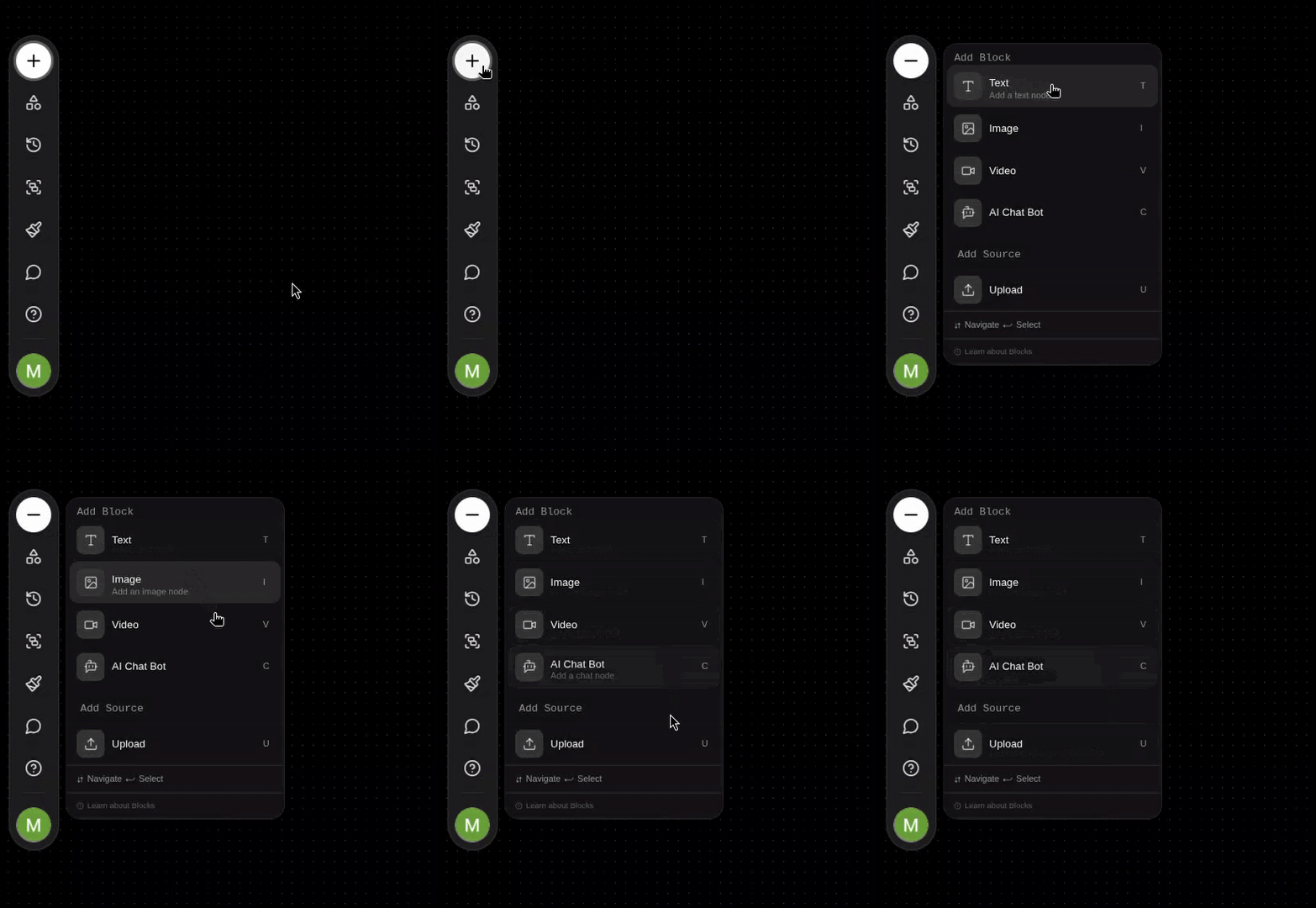
The + button provides instant access to three core block types for comprehensive creative workflows:
- Text Blocks: Advanced language processing and content generation
- Image Blocks: Visual creation, manipulation, and style application
- Video Blocks: Dynamic content generation and temporal storytelling
- AI Chat Bot: Conversational AI for creative assistance
- Upload: Add image or video assets instantly
Asset Management
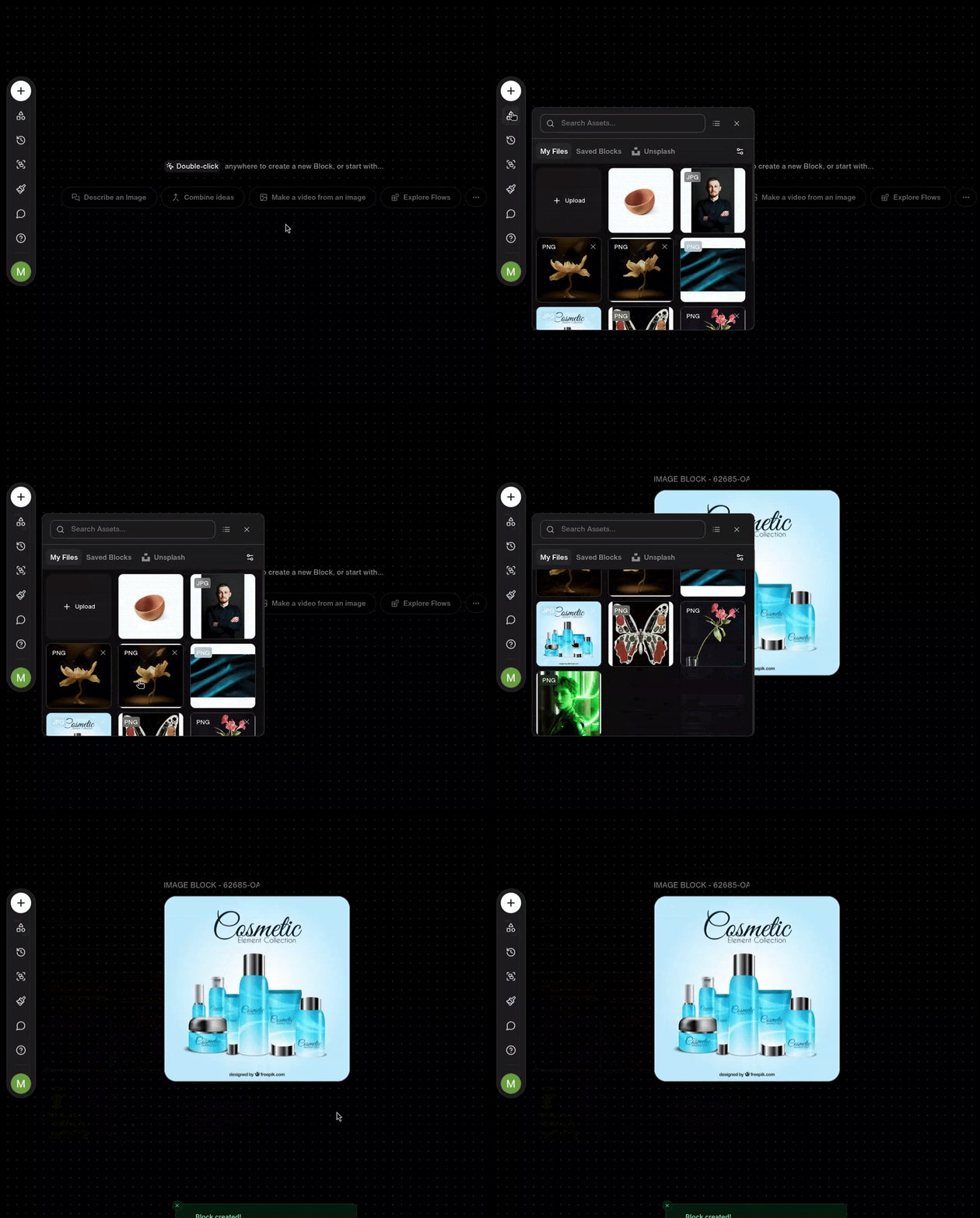
The Assets button provides comprehensive access to your visual asset library, enabling seamless browsing and integration of uploaded content into your creative workflows.
Save Blocks
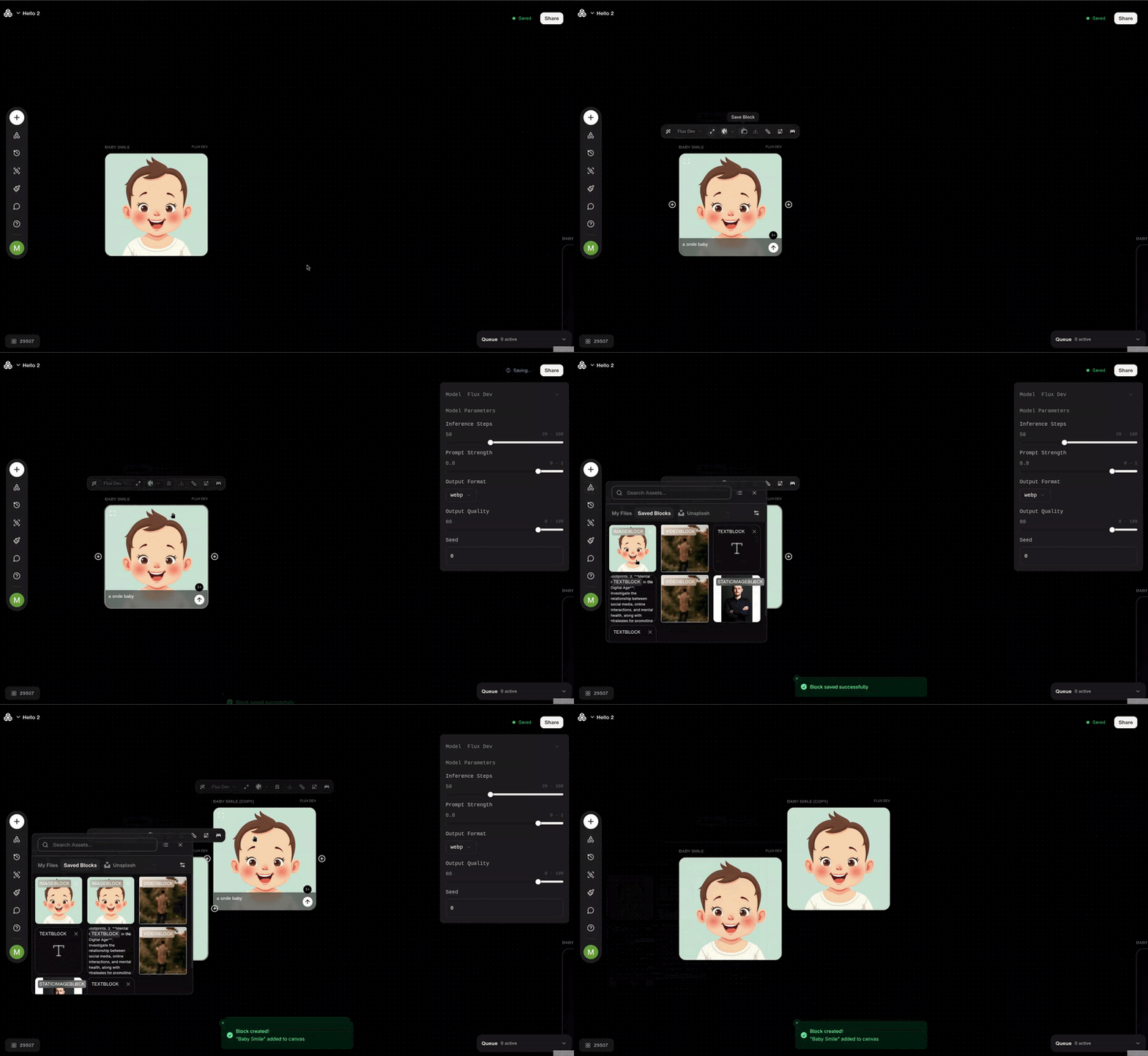
The Save Blocks feature lets you save frequently used block configurations for quick reuse. Store customized Text, Image, Video, or AI Chat Bot blocks in your personal library, and easily insert them into any project to streamline your workflow. Saved blocks help maintain consistency across multiple projects and boost creative efficiency.
Generation History
The Generation History feature maintains a comprehensive archive of all AI-generated assets from your account, enabling seamless asset transfer and reuse across multiple projects for enhanced workflow efficiency.

Workflow Templates
The Flows feature provides access to professionally curated workflow templates designed for diverse creative applications. Choose from two template categories:
Featured:
Curated workflow templates for diverse creative applications
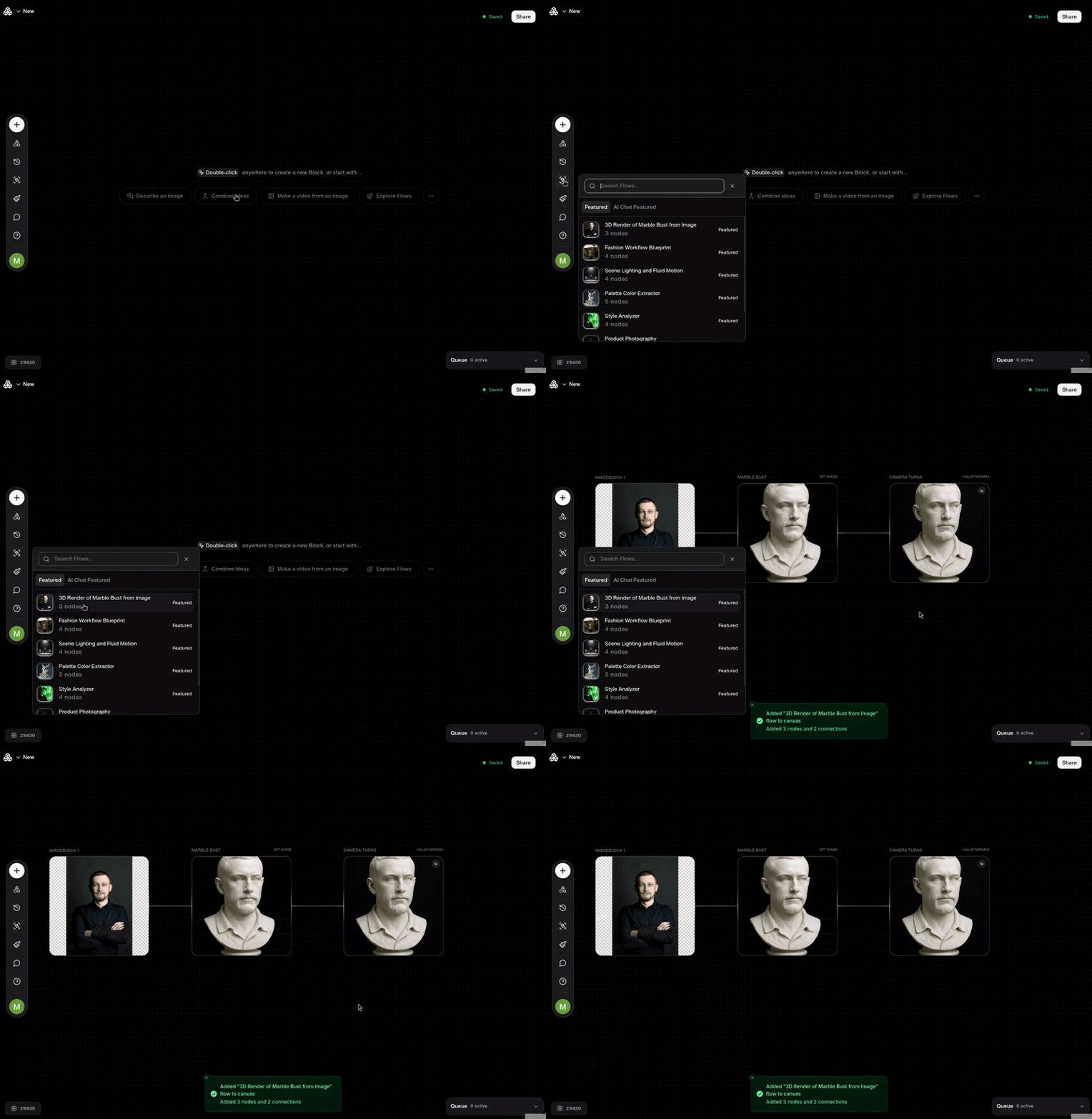
AI Chat Featured:
Specialized templates optimized for AI chat interactions
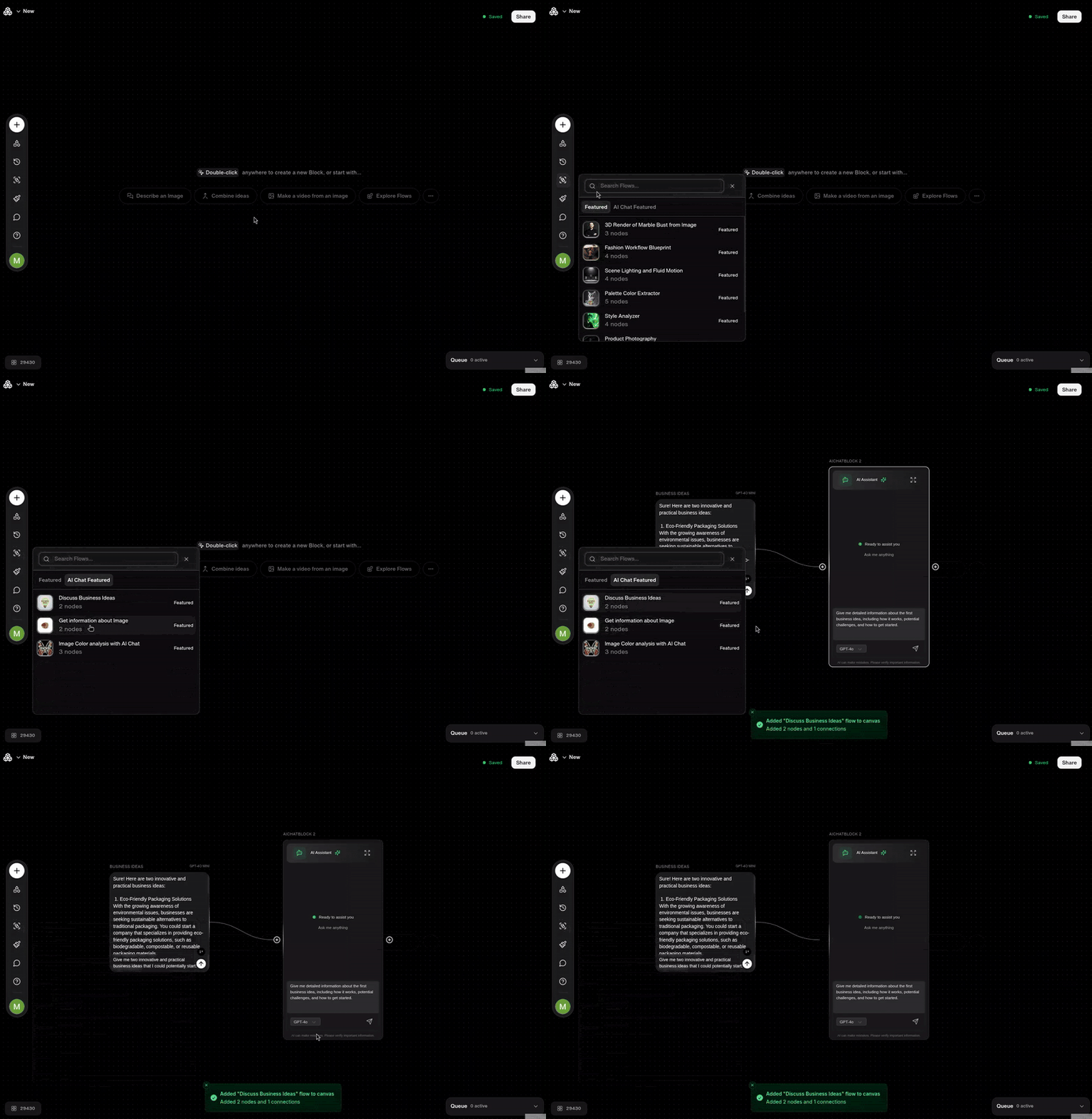
Hover to preview recent workflows with block deployment metrics, or click to explore categorized templates that accelerate your creative process.
Visual Styling
The Styles system provides advanced visual customization for image generation workflows. Enhance text-to-image and image-to-image processes with predefined aesthetic filters or create custom styles that align with your brand identity and artistic vision.
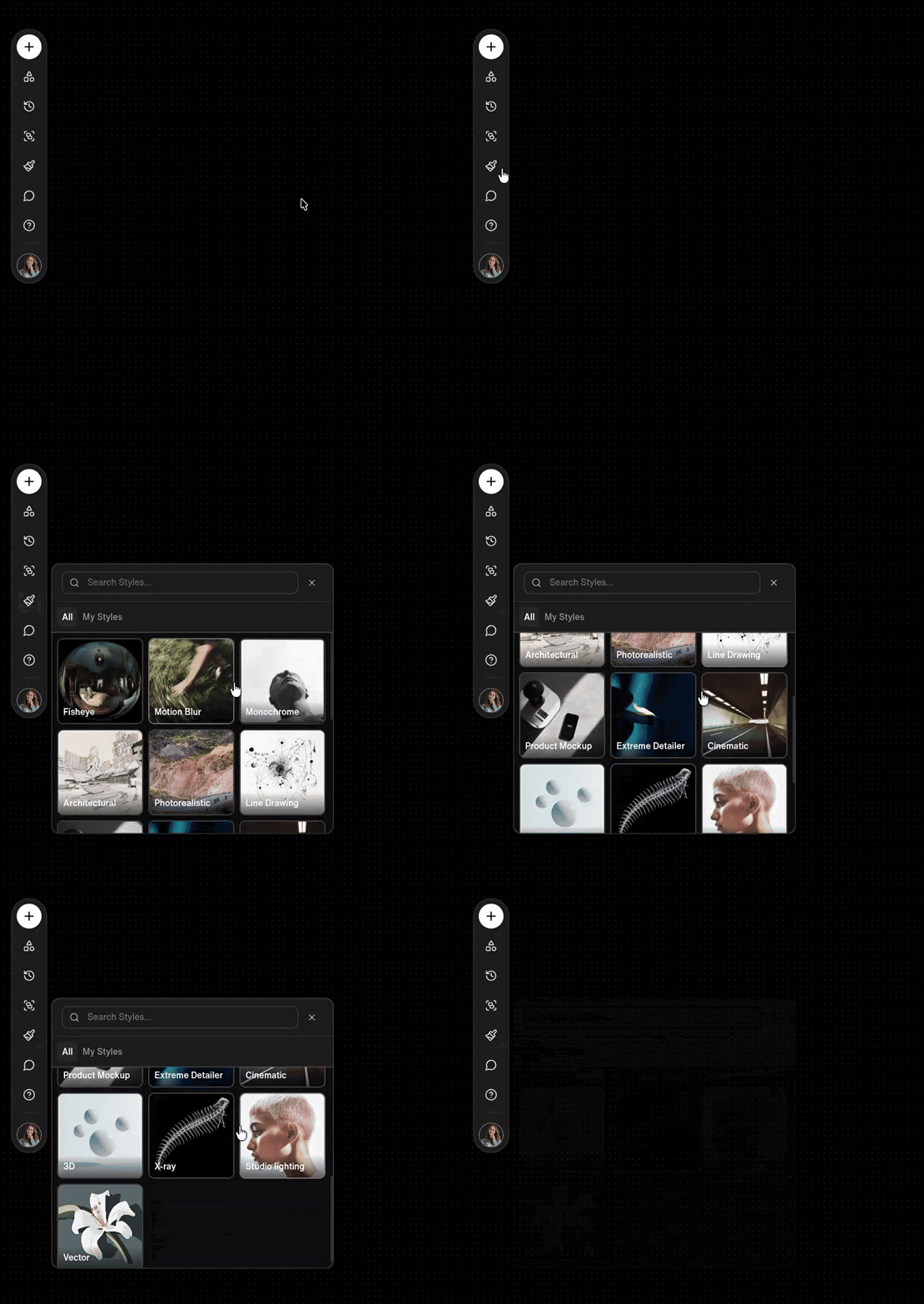
Explore comprehensive styling options and custom style creation in our Styles documentation.
Collaboration Tools
The Comment system enables seamless team collaboration through contextual feedback and communication. Activate the comment cursor to place interactive text bubbles anywhere on the canvas, facilitating real-time collaboration and project discussions.
